



Codenica logo
• Hardware & Software Audit
• Hardware & Software Inventory
• Software License Management
Codenica Audit 2
 
IT Audit and IT Inventory - Polish
Codenica Inventory logo - PC Inventory Software
Codenica Inventory
Hardware & Software Inventory


ICO1 - Corporate IT Asset ManagementStable and Object-Oriented IT Inventory
 
ICO2 - Hardware and Software InventoryData Sharing by Multiple Users
 
ICO3 - Hardware and software inventory management systemCompatibility with Codenica Audit Software
 
ICO4 - Inventory management system - Free lifetime upgradesLifetime use and free upgrades!
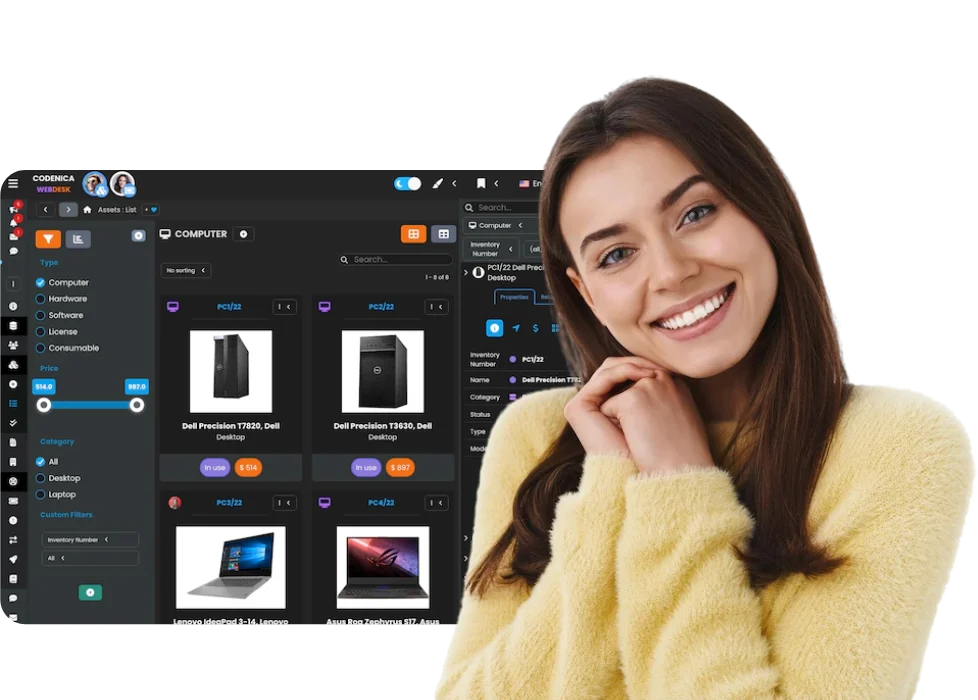
Codenica Inventory Screen – Hardware and Software Inventory


More application screenshots are available in the user guide:
View the user guide »

 
Introduction
Application Functions

Software: Codenica Inventory


PC Inventory Management SystemCodenica Inventory is IT inventory software for managing a company's computers, hardware, software, licenses, and consumable materials. The application makes it possible to easily manage IT assets and record inventoried events, such as repairs, services, upgrades, and maintenance operations.


Stable and Object-Oriented IT Inventory

Hardware and software inventory management systemCodenica Inventory is a solution for users who need software for managing a company's stable IT inventory. Inventoried objects are manually entered and edited by the user, and they are removed from the inventory using the Asset Disposal Form. Each object in an inventory has a history of every change made to it, along with information about who made the change, when it was made, and from which computer. Inventoried objects can associate with other objects. It is also possible to record repairs, servicing, maintenance, and upgrades.

See a description of an inventory's object-oriented structure »


Compatibility with Codenica Audit

Audit in IT inventoryUsers can use Codenica Audit to automate the process of creating and updating the inventory. The Export-to-Inventory Wizard in Codenica Audit makes it possible to introduce data from a completed network audit into the Codenica Inventory system using a detailed and configurable object export schema.

• See a description of Codenica Audit »
• See how Codenica Audit cooperates with Codenica Audit »


Data Sharing by Multiple Users

IT inventory in a networkCodenica Inventory allows an IT inventory database to be shared by multiple users in a network (one license for each workstation) using a fully-configurable system of authorizations. The application is compatible with Microsoft SQL Server (free or commercial, version 2005 or later).

See the user guide's "Database" chapter »


Primary Functionality

Codenica Inventory – primary functionalityThe Codenica Inventory management system makes it possible to manage computer hardware, software, licenses, and consumable materials on a large scale, providing the user with extensive possibilities for customizing all aspects of the application according to his or her preferences.

The primary functionality of the program includes:

• User inventory management
• License inventory management
• Software inventory management
• Hardware inventory management
• Computer inventory management
• Document inventory management
• Consumable material inventory management
• Computer and hardware repair inventory management
• Inventory of the warranty system and temporary license expirations
• Inventory of the costs of computers, software, licenses, hardware, etc.
• Inventory of upgrades to computers, software, licenses, hardware, etc.
• Inventory of maintenance for computers, software, licenses, hardware, etc.
• Inventory of shifts of computers, hardware, software, licenses and computers

See the list of topics covered by the user guide »

 
Introduction
Object-Oriented Inventory Structure

Software: Codenica Inventory


Codenica Inventory creates abstract models of relationally-linked objects, making it possible to realistically map the process of managing computers, hardware, software, licenses, and consumable materials.

Because it uses an object-oriented structure, inventory elements are not simple flat records. Instead, they permit for user interaction from anywhere within the program. Because of this, the user can call the context menu for any object to access the options available for managing it (editing, adding, and deleting relationships, etc.). It does not matter whether an object is in the Object Manager tree, in a list view, or in a detailed report. The application user can always perform an action from the context menu for a selected object.


User

User - PC inventory softwareAn object that represents a registered user. It is positioned at the top of the object hierarchy. It can be associated with computers, hardware, and software (directly or indirectly from a computer), licenses (assigned directly in the CAL mode or indirectly from the assigned software and computers), and consumables. In addition to standard relationships, it can also be associated with the functional relationship type (outside an actual inventory, resulting from the use of objects).


Computer

Computer - PC inventory softwareAn object that represents an inventoried computer. A computer is assigned to a parent object, namely a user. It can be associated with hardware and software (as a container, only in direct mode), licenses (directly, as an OEM- or CAL-licensed item, or indirectly, from the related software), consumables, a purchase document, and a warranty document. In addition to standard relationships, it can also be associated with the functional relationship type (outside an actual inventory, resulting from the actual use of objects) and network relationships (indicating that an object is dependent on other objects in a computer network).


Hardware

Hardware - PC inventory softwareAn object that represents a single device that can be a component of a computer or exist as a standalone device. Grouping hardware into computer containers makes it easier to manage objects. A piece of hardware can be assigned to a user directly or indirectly, via a computer. It can be associated with licenses (directly, as an OEM- or CAL-licensed item), consumables, a purchase document, and a warranty document. In addition to standard relationships, it can also be associated with the functional relationship type (outside an actual inventory, resulting from the actual use of objects) and network relationships (indicating that an object is dependent on other objects in a computer network).


Software

Hardware - PC inventory softwareAn object that represents installed software existing in binary form. It can be a component of a computer or exist as a standalone item. Grouping software into computer containers makes it easier to manage objects. A piece of software can be assigned to a user directly or indirectly, via a computer. It can be associated with licenses (directly, as a software license or a license in the CAL mode), consumables, a purchase document, and a warranty document. In addition to standard relationships, it can also be associated with the functional relationship type (outside an actual inventory, resulting from the use of objects).


License

License - PC inventory softwareAn object that represents a real-world purchased user license for a piece of software (in the form of an invoice, certificate, media, etc.) or for access to server resources (a CAL license). Licenses for particular software should be assigned directly to the software. CAL licenses may be assigned to any objects that are made available as licensed resources. A license may cover any number of seats. Their use is counted automatically. A license can be associated with an object in OEM mode (computer or hardware) or with a purchase document or a warranty document. In addition to standard relationships, it can also be associated with the functional relationship type (outside an actual inventory, resulting from the use of objects).


Consumable

Consumable - PC inventory softwareAn object that represents a single independent element (not embedded in a container), related only in the usage mode to any other inventoried object. It can be associated with a purchase document and a warranty document. In addition to standard relationships, it can also be associated with the functional relationship type (outside an actual inventory, resulting from the use of objects).


Purchase Document

Purchase Document - PC inventory softwareAn object that represents a purchase document (e.g an invoice). Any number of inventoried objects can be assigned to such an object.


Warranty Document

Warranty Document - PC inventory softwareAn object that represents a warranty document. Any number of inventoried objects can be assigned to such an object.

 
Introduction
Cooperation between
Codenica Audit and Codenica Inventory

Software: Codenica Audit & Inventory

By using both programs (Codenica Audit + Codenica Inventory) together, it is possible to comprehensively manage a company's IT resources.

Like any audit software, Codenica Audit works with highly dynamic data (hardware and software is detected and the data is changed, depending on the scanning configuration and the status of particular resources during each scan). Therefore, it can be used to automate a recurring collection of current data, which is then sent (under the strict control of the application user) to the inventory database in Codenica Inventory, where it can be further processed.

See the user guide's "Audit" chapter »

Data from a performed audit is exported to the IT inventory management system in Codenica Inventory using a specially-prepared Export-to-Inventory Wizard, while Codenica Audit can fine-tune the export process with a wide range of settings.

• See the user guide's "Export to Inventory" chapter »
• See export-to-inventory settings »

 
line