











Could a ticketing system help your team?
Create a free business account and try the help desk, Client Portal and request handling in practice.
A ticketing system turns customer and employee requests from isolated email messages into cases that can be managed from start to finish. It allows your team to receive requests, assign them to the right people, set priorities, track deadlines, link tickets with devices, software and documents, and keep the conversation together until the issue is resolved. Use the Codenica software as a straightforward help desk for a small business or extend request handling into service desk and ITSM processes. Codenica Cloud runs in Microsoft Azure. With the On-Premise edition, you install the application on your own server inside your company, so your data stays within your organization.


Not every case needs the same response. A failed printer, a computer that will not start or a missing connection to an important service is an incident that may stop one user or an entire team from working. A request to prepare a workstation, install software, purchase a license or handle a complaint is a service request. A ticketing system separates these cases at the beginning of the support process. A help desk agent can then see what needs immediate attention, while a service desk team can handle planned work according to an agreed process. A small business can manage its requests with the Starter license. If you need broader service desk processes, approvals, SLA-based work and support at a larger scale, Enterprise is the appropriate level. This helps you fit the ticketing system to the way your organization actually works, without calling every case an ITSM process.
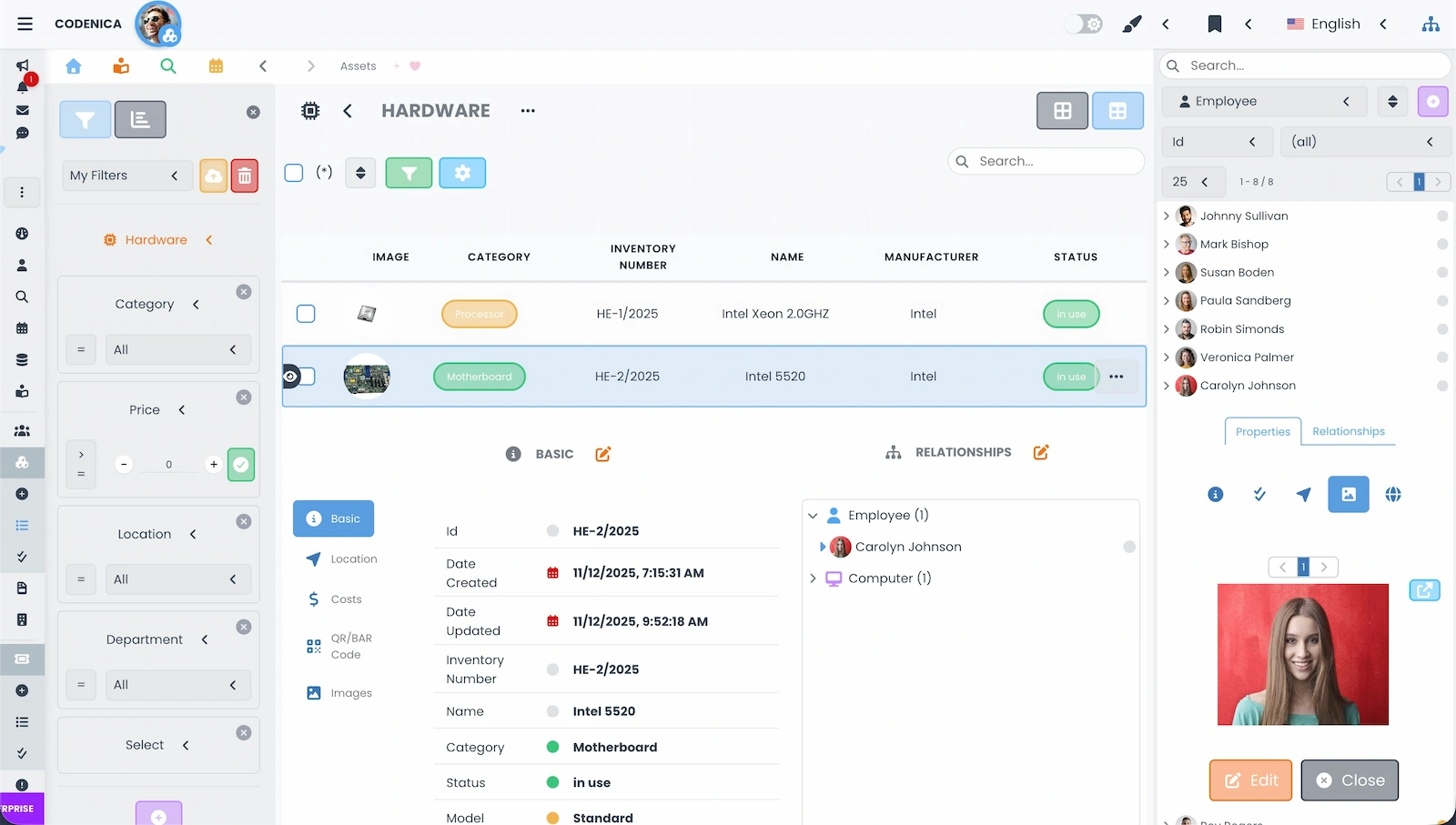
A ticket description is not always enough to understand the problem. Saying that a computer does not work may mean a failing drive, outdated software, a missing license, a USB device issue or an error that has already appeared before. That is why the Codenica system can connect tickets with records of hardware, devices, software, licenses, documents and other company assets. The agent sees the relevant asset, its key details and related cases directly from the ticket. When computer data comes from automated inventory, the team can use it during diagnosis without copying information by hand from a spreadsheet. Good request handling starts with the data already in the system, rather than with another question sent to the user.
A manufacturing company, online store, accounting office, IT department and external service provider all deal with different cases and follow different procedures. Codenica software does not force one form on every team. You can configure ticket types and statuses, categories, tags, teams, companies, locations, departments, priorities, urgency, impact and SLA rules. You can also decide what information should be recorded and which records a ticket may be linked to. This lets the ticketing system work as a simple help desk or as part of a larger service desk and ITSM operation. Start with everyday request handling and extend the setup as your team and organization grow. Cloud and On-Premise use the same working model; they differ in where the application is deployed and where data is stored.
Information that keeps request handling organized
Request handling often continues beyond the help desk. An employee needs a computer, a customer needs a device replaced, a department wants to buy a license and a service team first needs approval for the expense. In the Codenica system, these cases do not have to be managed in a separate chain of emails. The request can be described in the ticket, linked with assets and documents, split into tasks, assigned costs and sent for approval. Everyone involved can see what the request concerns, who has to decide and what should happen after it is approved. This is a practical part of request handling in a company where technical support works together with purchasing, administration or customer service.
Good ticket management software should do more than assign a number to a request. What happens afterwards matters: assigning the case, collecting information, replying, completing a task, passing the work to another team, resolving the issue and closing the ticket. The Codenica application keeps this workflow in one place. A knowledge base provides prepared replies, links show whether other people reported the same issue and bulk actions make repetitive work easier when similar cases appear. This makes request handling clear to the agent, coordinator and person waiting for a solution. In a ticketing system like this, the team knows what happened before and what should happen next.
One outage can lead to many requests from different people. If every agent works on a separate ticket without checking the others, the team repeats the same tasks and requesters receive different information. The Codenica ticketing system lets you link cases that share a cause, service, asset or larger incident. A main ticket can organize the work, while related tickets show who is waiting for help and how wide the issue is. This is a simple way to improve request handling and teamwork without creating extra lists or rebuilding relationships by hand.
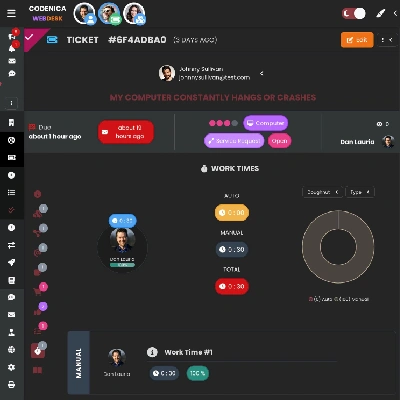
Not every ticket can be closed with one reply. Preparing a workstation, repairing a computer, deploying software, replacing a device or handling a larger incident takes several actions. A ticketing system lets you break the case into tasks, assign them to specific people and check progress without moving the details to another tool. Recording time against tasks helps you assess how much work request handling requires, where delays occur and how the team's workload is distributed. Request handling becomes visible not only as a status, but also as the concrete work completed by the team. These features are available in Cloud and in the Codenica application installed locally.
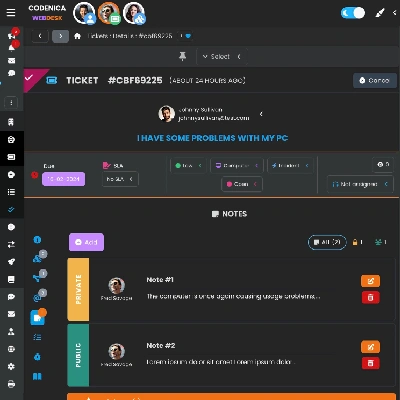
Email is a convenient way to start a conversation, but an inbox quickly stops being enough when the number of cases grows. Someone has to remember who should receive the message, find the previous agreement, locate the attachment and check whether the customer has received a reply. Codenica software keeps correspondence, replies and notes with the right ticket. The team sees one history of the case, and the requester does not have to describe the problem from the beginning each time. Private and public notes separate internal arrangements from information sent to a customer or employee. This makes request handling easier to hand over when someone is absent or the case moves to another team.
Could a ticketing system help your team?
Create a free business account and try the help desk, Client Portal and request handling in practice.
